
Seedance 2.0 & Seedance 2.5 for Marketing Teams
Small marketing teams are often expected to work like much larger production departments. A single campaign may require product videos, social clips, landing-page visuals, email assets, and several platform-specific variations.
The creative possibilities are exciting, but the workload can become difficult to manage when every idea depends on filming, editing, and repeated approval cycles.
I started exploring AI video because I wanted a faster way to move from a campaign idea to something my team could actually review. The goal was not to automate the entire creative process. It was to make early experimentation less expensive and give us more time to improve the message before committing to full production.
One tool that changed my approach was Seedance 2.0. Its ability to combine written prompts with image, video, and audio references made it useful for more than generating an isolated visual. It allowed me to assemble a compact creative brief and turn that brief into a moving draft.
Starting With the Campaign Message
The most important lesson I learned was that faster generation does not compensate for an unclear message.
Before opening any tool, I try to summarize the campaign in one sentence:
- What should the audience notice?
- What should they remember?
- What action should feel natural after watching?
This step sounds simple, but it prevents the production from becoming a collection of attractive yet unrelated scenes. Once the message is clear, I can decide what the video actually needs: a product demonstration, an emotional lifestyle moment, a direct explanation, or a short narrative.
I also identify the elements that cannot change. For an e-commerce campaign, these may include the product shape, label, colors, materials, and logo. For a service campaign, consistency may depend more on the presenter, visual tone, or environment.
Defining these constraints early makes the references and prompts more focused.
Using References as a Lightweight Creative Brief
Text prompts are helpful, but they are rarely the clearest way to communicate every creative requirement.
A product photo can show packaging more accurately than several paragraphs of description. A short video can demonstrate the desired camera movement. An audio sample can establish pace and mood.
Seedance 2.0 can use these different inputs together. In a typical project, I might provide several product angles, one lifestyle image, a motion reference, and a short audio track. I then write a prompt that explains how those materials should work together rather than trying to describe them all from memory.
This multimodal workflow is especially useful when a small team includes people with different creative backgrounds. A marketer may think in terms of audience and message, while a designer thinks in color and composition.
References give everyone a shared visual language and make feedback more specific.
Creating Variations Without Losing Direction
Campaign work often requires several versions of the same idea. A horizontal video may be needed for a website, a vertical version for social media, and a shorter cut for an advertisement.
Producing each version from scratch can consume time that would be better spent reviewing performance and improving the concept.
AI video makes variation easier, but it also creates a risk: when teams generate too many options, the campaign can lose its identity.
I avoid this by keeping a small set of fixed references and changing only one variable at a time. I may test a different opening, camera movement, or environment while preserving the same product and visual tone.
This approach makes comparison easier. If five elements change at once, it is difficult to understand why one version works better. Controlled variation turns generation into a practical creative test rather than a random search for appealing images.
Why Consistency Is a Business Requirement
Visual consistency is not only a cinematic concern. It affects trust.
If a product changes shape between shots or a logo appears incorrectly, the video can create confusion and may not be usable in a real campaign.
I therefore review identity and accuracy before judging style. I check:
- Product silhouette and proportions
- Surface details and materials
- Label and logo placement
- Colors and scale
- Facial features and clothing when people appear
- Continuity between different camera angles
Only after those details are acceptable do I evaluate lighting, transitions, music, and polish.
The reference-based controls in Seedance 2.0 are valuable here because they help maintain products, characters, and visual assets across connected scenes. Results still require human review, but the workflow begins with consistency as a goal rather than treating it as a problem to solve entirely in post-production.
Moving Toward Longer Campaign Stories
Short clips are effective for a single visual hook, but some campaigns need more room.
A product story may need to introduce a problem, show the product in use, and end with a clear benefit. A brand film may depend on mood building rather than an immediate reveal.
This is where Seedance 2.5 becomes relevant. Its support for longer continuous generation, more extensive multimodal references, and targeted editing is designed for projects with greater narrative and production complexity.
The ability to work with a larger reference set can help teams communicate a fuller campaign system, including scripts, storyboards, product imagery, motion examples, audio, and style guides.
Longer scenes can provide more natural pacing, while region-level changes may reduce the need to regenerate an otherwise successful sequence because of one incorrect detail.
For me, the value of these improvements is not simply that they make a bigger video. They support a more deliberate process in which a campaign can remain visually coherent from concept to final output.
Keeping Human Review at the Center
AI can produce options quickly, but a marketing team still has to decide whether those options are accurate, appropriate, and meaningful.
We review generated drafts for:
- Factual product representation
- Audience fit
- Accessibility
- Platform requirements
- Overall clarity
We also consider whether a generated scene supports the campaign or merely looks impressive.
A dramatic camera move may distract from a product demonstration. A visually rich background may make text difficult to read. Faster creation is useful only when the review process remains connected to the communication goal.
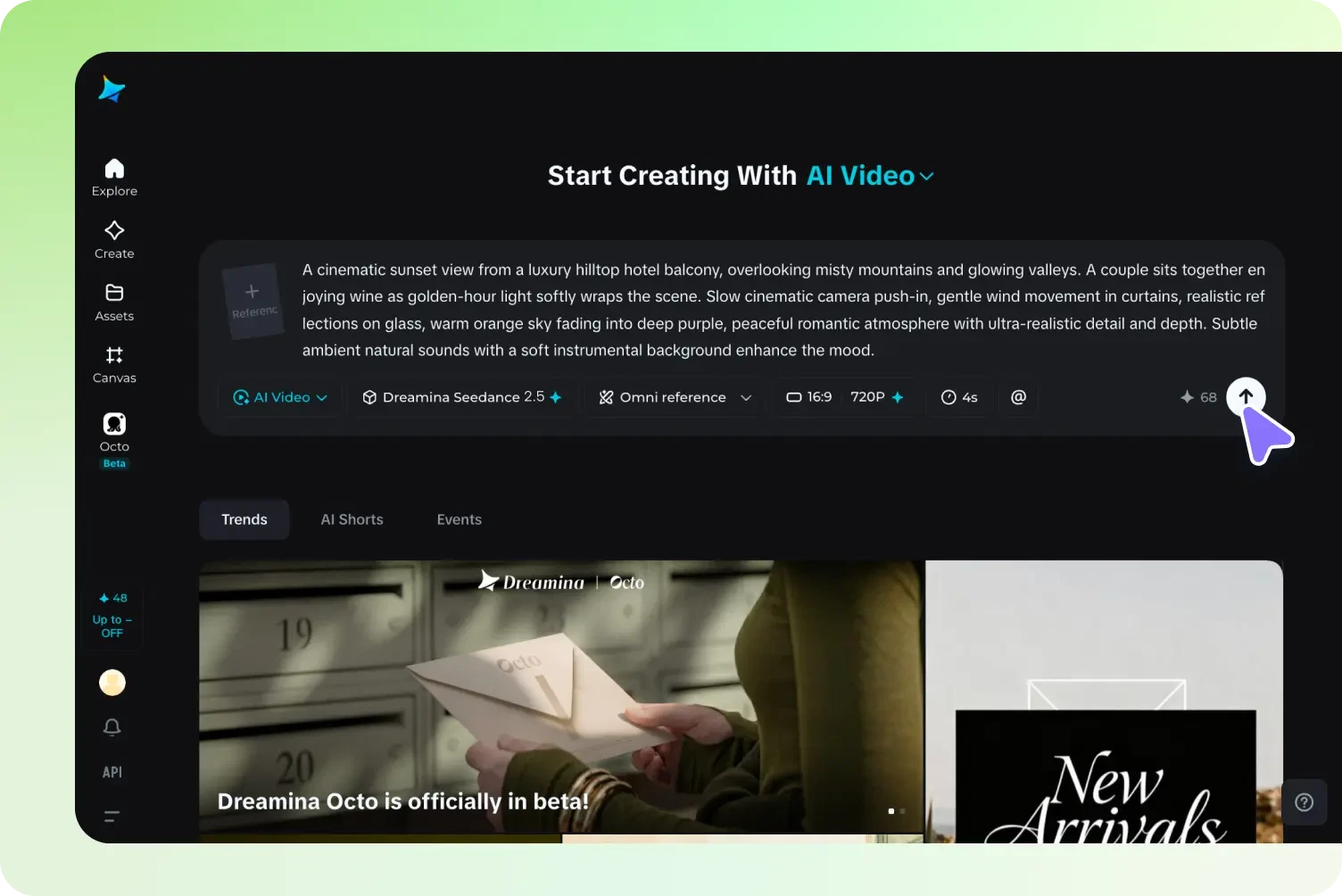
For teams seeking an integrated place to experiment with generation and refinement, Dreamina can be considered as part of a wider creative workflow rather than as a replacement for planning, editing, or approval.
A More Sustainable Production Rhythm
The greatest benefit I have found is not unlimited content volume. It is a more sustainable rhythm of experimentation.
My team can visualize an idea earlier, identify weak concepts before they become expensive, and reserve traditional production resources for directions that have already been tested.
This also improves collaboration. Stakeholders respond more clearly to a moving draft than to an abstract description. Feedback arrives earlier, and revisions can focus on the message instead of being delayed until the final edit.
AI video will continue to improve, but small teams do not need to wait for a perfect system to benefit from it.
A focused message, carefully chosen references, controlled variation, and thoughtful human review already make the technology useful. The goal is not to publish everything that can be generated. It is to make better creative decisions with the time and resources available.